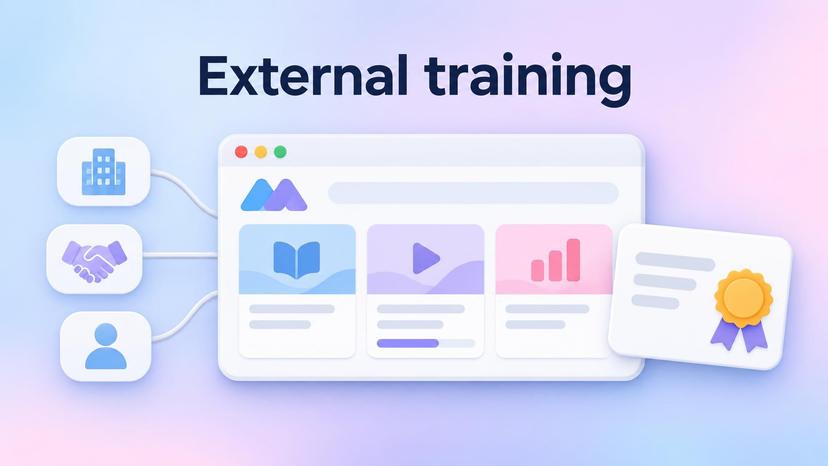
This guide shows you how to sell training to external learners, meaning your customers, your partners and your clients' employees, and how to deliver it on your own academy once they have paid. It is written for consultants, trainers and companies who already teach people outside their own organization and want sign-up, payment, access and certificates handled in one place.
What is external training, and how is it different from staff training?
Internal training is for your own employees. They are already in your HR system, their manager tells them to take the course, and nobody pays for it per person. External training, sometimes called extended enterprise training, is for people outside your organization:
Customers who need onboarding before they get value from your product or service.
Partners and resellers who need to prove they know your offer before they sell or deliver it.
Your clients' employees, when a company buys your training for its team.
Members of an association or a professional network who take your courses for their own development.
These learners are not on your company's network or in its HR system, and none of them have to show up. So you need things an internal training tool rarely handles well: a public place to sign up, a way to take payment from a person or a company, access you can grant and take away, and proof of completion you can share. If you are still working out how to find corporate buyers and write the proposal, start with our guide on how to sell training courses to companies. This article picks up where the deal is signed.
Who pays: the learner, the company or nobody?
Decide this first, because it decides how you set up every course.
Per learner. Each person buys their own access at checkout. This suits open programs, certifications people take for their own career, and partners who pay to get certified.
Per company. A client buys a number of places for its team, and you give those people access. This is how most corporate training courses are sold.
Free to the learner. Customer onboarding is usually paid for by the product or service the customer already bought. The training is free, but you still want to know who took it.
Most academies end up mixing two of these. A course can be on sale to individuals and also be given to a client's team for free, so you do not need a separate copy for each model.
How do you charge per learner?
On Forento you set a price on the course and learners pay through Stripe or PayPal at checkout. A few settings make this work for external programs:
Limit access time. For a paid course, you can limit access to a number of months, such as 12 months for an annual certification. The clock starts when the learner buys.
Bundles. Sell a learning path, such as all three levels of a partner certification, as one product at one price. Bundles are on the Scale plan.
Memberships. Charge monthly or annually for an on-demand library of training that you keep adding to, which is often what "on-demand learning for business" means in practice.
Discount codes. Give one client's employees their own code, cap the number of redemptions, and set a last redemption date so the offer ends with the agreement.
How do you sell to a company when there are no seat licenses?
Be clear about this: Forento has no company accounts, team seats or seat licenses. Every learner has their own account. A company deal works fine, but you handle the company side yourself:
Agree on the number of places and the price, and invoice the company with your own invoicing tool.
Collect the list of learner email addresses from your contact at the client.
Invite the learners. Upload the list as a .csv or .xlsx file under Users and Forento emails each person an invitation to create their account. Invitations are sent from your own email address, so you need to connect and verify a custom sender domain first.
Give them access. On the Scale plan, open a learner's page in the dashboard and give them the course. To keep the course out of public checkout entirely, set its access to "Manual only". You can also add a buy link that sends visitors to your own contact or quote page instead.
For larger clients, automate steps 3 and 4 with Zapier. Forento's Zapier integration, also on Scale, can find or create a user by email, give or remove their access to a product, and add them to or take them off a membership. A typical setup is a Google Sheet the client fills in: every new row creates the learner's account and gives them the course. See how to create user accounts with Zapier for the basic setup.
Fixed-term contracts. If the client buys a year of access to your whole library, create a "Manual only" membership for that client and add their people to it through Zapier. When you add someone, you can also schedule the membership to end on the date the contract ends, so access stops without you having to remember it. Two things to know: the membership's member limit is not enforced for people added through Zapier, so keep count of places yourself, and a learner holds only one membership added through Zapier at a time.
When someone leaves the client company, remove their access from their page in the dashboard or with the Zapier action.
How do you onboard customers and partners?
Onboarding training only works if people actually finish it, so keep it short and in a clear order.
Start with one free onboarding course your customers or partners join with their own account. Their account is what lets you see their progress.
Set prerequisites so a learner has to finish "Getting started" before "Advanced setup" opens.
Release chapters over time on the Scale plan, either at an interval from when each learner starts or on fixed dates, so a partner cohort moves through the material together.
Ask for written answers. A course page can ask learners to write a response, and you can read every answer per page. It is a simple way to check a partner understood your pricing or your process before they talk to a client.
Add live sessions. Run a monthly onboarding call as an event in the meeting tool you already use, and link to it from the course.
Give each group its own space. On Scale, you can create several community channels and give one only to people who have a specific course or membership, such as a channel for certified partners.
How do you certify partners with exams and certificates?
Certification is often the reason a partner program exists, so it has to be reliable.
Add an exam to the course with points per question and a passing score. With certificates turned on, which needs the Scale plan, Forento issues a certificate automatically when a learner has completed every page of the course and passed the exam. You can open any learner's certificate from their page in the dashboard.
For a certification path, put each level in its own course and make each level a prerequisite for the next. Certificates do not expire on Forento, so if your program requires recertification every year, run it as a new course for each year and tell partners which one is current.
How do you report progress back to the client?
The client that paid for the training will ask whether their people took it. Each course has an enrolled students list you can export as a CSV file, with each learner's name, email, how they got access, progress in percent and the date of their certificate. Because there is no company field, filter the file by the client's email domain, such as "@client.com", and send them their part.
The Users list exports to CSV as well, with each person's register date and last active date. In Analytics, you can see the completion rate for each course and cohort retention, which helps you see where learners drop off before a client tells you.
How do you keep the academy branded and access under control?
External learners should feel they are in your academy, not in a third-party tool.
Your brand. Every plan lets you set your academy's name, logo and colors. From Basic, you can connect your own domain or a subdomain such as learn.yourcompany.com and remove the Forento watermark. See branded academies for what you can change.
Your sender address. With a custom email sender, invitations and student emails come from your own address.
Your access rules. Each course can be free, paid, part of a membership, paid and part of a membership, or manual only. Marking a course as unlisted stops new enrollments while existing learners keep their access.
If you want to go one step further and offer the platform itself under your own name to your own customers, look at Forento's white label program.
How do you market training to external learners?
Marketing corporate training programs to external audiences is mostly about putting the academy where those people already are:
In your onboarding emails, contracts and help pages. A customer who has just bought from you is the easiest learner you will ever get.
In your partner agreements. Make certification part of becoming a partner, with a clear benefit such as being listed as certified.
On a public course page with a free preview. Let visitors open the first pages of a course before they buy, so a training manager at a prospect can judge the quality.
Courses, exams, memberships, discount codes and student invitations are on every plan, including Free, which takes a 20% sales commission. From Basic, the commission is 0%.
Basic, $19 a month or $15 a month billed annually, adds your own domain and removes the watermark.
Start, $49 a month or $39 a month billed annually, adds your own website, a blog, a community and 3 admin accounts.
Scale, $149 a month or $119 a month billed annually, adds manual product assignment, the Zapier integration, certificates, bundles, chapter dripping, multiple community channels and unlimited admin accounts.
Most external training setups need Scale, because giving a client's team access by hand or through Zapier, and issuing certificates, are both Scale features. See the full comparison on the pricing page. Stripe and PayPal charge their own processing fees on top.
Start with one audience
Pick the one group of external learners you already train most often, whether that is new customers, partners or one client's team, and build a single course for them with an exam at the end. Invite ten of them, watch the completion rate, and add the next course once they finish. You can start your academy on Forento for free and try the Scale features with a 30-day trial.